

Remy, Delaney, Claire and Cassidy hiking at Buescher
State Park during our recent camping trip.
Month: November 2008
Making the iPhone Engine Run Smoothly

One of the other reasons I waited so long to get an iPhone is the fact that it cannot, yet, serve as a tethered wireless broadband modem for my laptop. For an extra $15 a month, my recent Blackberries could link up via Bluetooth with my laptop or Samsung UMPC and serve as a broadband modem. This was handy in airports and in hotels that offered no or ridiculously expensive internet access. In fact, as long as my phone was in the room or car, my other devices would link up automatically and have instant reasonably fast access. For two weeks after Hurricane Ike, I ran my home network off of my Blackberry. It was slow, but the jump from none to slow is more significant than the one from slow to fast.
The iPhone doesn’t tether, yet. Apparently, there was a third party app that allowed tethering, but Apple squashed it. Sure, I could jailbreak my phone and find a way to tether. But the iPhone is about seamless convenience and constant jailbreaking would be seamful and inconvenient.
But I think it’s OK.
The reality is that there is very little I need to do in airports and on the road generally that I can’t do directly via the iPhone. Sure, I can’t easily create or materially edit documents, but I don’t do that in airports and in transit anyway. I do that in my hotel room or between speeches at a conference- in places that almost always have internet access. Plus, while I haven’t tried it yet, iPhone users can access ATT’s wi-fi hotspots at no additional charge.
And there may be other issues at work here. I suspect that Apple’s agreement with ATT prohibits tethering. Both as a way to conserve bandwidth and to force customers to buy ATT’s existing wireless cards or the rumored account add-on that may add the ability to tether- at an additional cost. Add free tethering without a bigger pipe (or additional money to build one) and the demand on the bandwidth will increase materially, likely lessening the experience for existing- and future- iPhoners. Keeping the bandwidth-hogging geeks from linking up all their gear to their iPhones is, at least for the moment, the governor that makes the iPhone engine run smoothly.
I’d rather do it this way than end up throttled or charged more for someone’s idea of excessive bandwidth use. The iPhone has clearly crossed the mainstream into the non-geek population. Many iPhone users are happy to make calls, text their friends and check the weather every now and then, none of which is bandwidth intensive. If I can ride along with the herd and do what I need directly via the iPhone, with no limits or additional charges, that’s great. If it turns out I can’t live without tethering and I have the opportunity to add (and pay for) that feature, that’s good too.
Technorati Tags: iphone
Dr. iPhone or: How I Learned to Stop Blackberring and Love the App Store
As one of the rats in the great corporate email race dominated by Microsoft Exchange Servers and Blackberry Enterprise Servers, I have used a Blackberry for many years. From the first little pager-looking 850 to the Pearl 8130, and several points in between. While thumb-typing away on my Blackberry, I have suffered from recurring bouts of iPhone lust, having seen my wife and many of our friends fall in love with their iPhones. For a long time, however, my concerns over the handling of corporate email kept me glued to the Blackberry alter.
Until last week. Here’s how Verizon tried to hose me and led me to the most eloquent device I have ever used.

I am sold on the touch screen concept, and was eagerly awaiting the arrival of the great iPhone slayer- the Blackberry Storm. I stopped by the local Verizon store just before 9:00 a.m. on November 21- the day the Storm was released. The store wasn’t open yet, but there were a dozen or so people inside. A Verizon employee quickly unlocked the door for me. She asked if I had an appointment, noting that the other people in the store had booked an appointment in advance. When I told her I didn’t have an appointment, but was a Verizon customer who wanted to upgrade to a Storm, she happily exclaimed that “we can get you in and out of here in no time,” and directed me to the customer service window. There were two Verizon employees helping customers at the window, and I was second in line. 30 minutes later I was still second in line. One of the employees at the window told me Verizon’s computers were overwhelmed and it was taking a long time to process the upgrades. No problem- that was to be expected on the morning of the release. The first problem occurred a few minutes later when another line dweller told me Verizon was sold out of Storm handsets and that I was waiting in line to order one that would be mailed to me. A Verizon employee confirmed that and told me I could order the phone faster over the internet. So I left the store, went to the office and logged into my Verizon account.
Here’s where things started to fall into place.
 Much to my surprise, my quoted price was not $200, as widely advertised, but $500. I called customer service and was told that my contract was too recent to permit an upgrade and that I would, in fact, have to pay $500 if I wanted a Storm. I didn’t like this, but contracts are contracts, so I asked how much it would cost to terminate my contract early (by about a year and a half). $125 was the answer. So, I asked, “you’ll sell this phone to a stranger for $200, but an existing customer has to pay $500?” I was told that was the case. Again, not good news, but I understand the math so far. I had one more question: “But if I wanted to, I could pay $125 to terminate my contract today, come back tomorrow and pay $200, thereby achieving an actual price of $325?” I could tell the phone rep was uncomfortable, but ultimately she agreed that I could do that. “But you won’t sell me the phone for $325 without having to go through all of that?” She said she couldn’t. The cost was understandable, even if a little frustrating, but the unnecessary hoops were more than I could handle. So a wonderful thing happened.
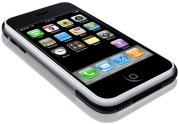
I canceled my Verizon account, drove to the local ATT store, bought a 16G 3G iPhone and had my number ported over. At the end of the day, I have a much better phone at a lower cost. $125 is a lot of money, but amortized over the remaining 18 or so months of my Verizon contract, I’m more than happy to pay an extra $7 a month for the iPhone experience.
I am a technophile and somewhat of a gadget freak. I have used lots of gadgets. The iPhone is quite simply the most well-designed and useful device I have ever used. Plus, it’s a load of fun!
The phone comes with just about everything you need, right out of the box. But the real fun begins when you explore the App Store. So far, I have added the following apps, which give me a device that does just about anything I might ever need it to do.
AOL Radio: an amazing selection of great sounding music stations.
Pandora Radio: the best music on the net.
AroundMe: uses GPS to find local restaurants and other points of interest.
Mobile Fotos: my favorite app- a must for Flickr users.
Camera Bag: auto-edits iPhone photos
Google Mobile Apps: brings all of Google’s apps to an iPhone interface.
iTalk Recorder: record voice notes.
Note2Self: record voice notes and email them.
Remember the Milk: the best to-do list and reminder service.
Sportacular: quick sports schedules and scores.
(You can search for these great apps and others from within the iTunes store. Many of them are free and all of them are cheap.)
Those of you who are on corporate email platforms will wonder how I feel about the iPhone/Microsoft Exchange implementation. I think it works perfectly. The emails are much easier to read and flicking is much easier than scrolling with that irritating wheel (which was very hard to do with my Pearl). When I delete an email on my computer or my iPhone, it is automatically deleted on the other device. I didn’t have my Blackberry configured that way, but after a few days, this approach seems more logical to me.
When I experimented with my wife’s iPhone, I found typing to be difficult, often hitting the wrong letter (particularly P when I was aiming for O). But after a little practice, you find that your typing improves and you rarely hit the wrong letter. My friend Marvin says it’s a confidence thing- I think that’s a good description. I find myself typing faster on the iPhone than I did on the Blackberry.
I wish the camera had a flash, and you do have to recharge the iPhone more often than the Blackberry- because the iPhone is so fun to use, you use it more (and there are solutions to that problem). But those are minor issues that are more than outweighed by the many additional benefits of the iPhone.
I’m sold. Thanks Verizon!
Technorati Tags: iphone
Hilarious
I’m glad I still, at least technically, have a blog so I can post this brilliant and hilarious video.
Technorati Tags: dancing squirrels
 Newsome.Org