
My Pogoplug came today. I opened it about 15 minutes ago. Here’s the skinny.
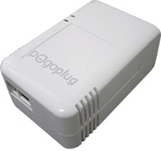 Setup was almost as simple as advertised. I plugged the Pogoplug in, connected it to a network switch in my study, and got an immediate green light (that’s good). I connected a new Seagate Free Agent hard drive, and activated my Pogoplug via the Pogoplug web site. With a couple of minor exceptions, it was as easy as could be:
1. It was hard to read the tiny Pogoplug identification number on the attached sticker. A quick look with a lighted magnifying glass revealed that what I thought was a letter was in fact a number (no big deal- it took maybe a minute longer to reenter the number); and
2. I had to right click and “safely remove” the hard drive from my computer after I formatted it before attaching it to my Pogoplug. I never, ever do the safely remove thing, but the help box in the Pogoplug activation window suggested I do so (also no big deal, though it cost me an extra 10 minutes or so).
Once you get everything connected, you can log in to your private cloud via the Pogoplug web page.
The interface is perfectly acceptable, even if not perfect.
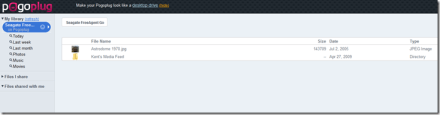
The only semi-bummer is that you can’t drag items into a new folder via the web interface. If you download the Pogoplug software (see the link at the top), your Pogoplug drive will appear in Windows Explorer, just like any other drive.
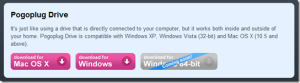
There is software for Windows and OS X and a beta version for the four people who actually use Linux for this sort of thing. From there, you can presumably drag and drop uploads and drag items into folders. Very nice idea, but I couldn’t get it to work. It could be another router problem. If so, this is getting old fast.

Sharing via your Pogoplug is a mixed bag. You can share entire folders with selected people via an email authorization procedure. A neat feature is the ability to share the contents of a folder via an RSS feed. Here’s mine. You can’t share items individually (only via sharing an entire folder), and you can’t generate direct links to serve media in blog posts and web pages. At a minimum, Pogoplug needs an embeddable media player, like the elegant one at divShare.
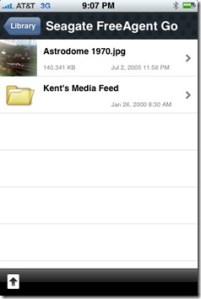
There is a free iPhone app, which installed quickly and allowed instant views of the files on my Pogoplug, over wi-fi and 3G. I could easily access my photos and MP3s. Uploading a photo from my iPhone to my Pogoplug was easy and fast. I didn’t see an option for uploading anything other than a photo.
Overall, I am pretty impressed with Pogoplug, and it will definitely replace my current private cloud setup.
 Newsome.Org