Tag Archives | microsoft

Microsoft Pushes Confusion to Education

This is what I meant the other night when I said that Microsoft needs a paradigm shift in the way it names and markets products.

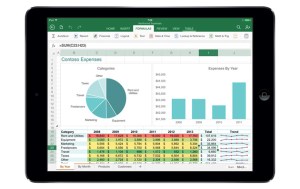
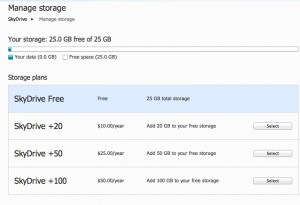
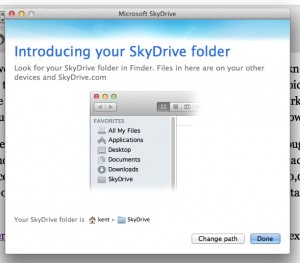
The inclusion of SkyDrive- legitimate cloud storage- could give Microsoft a real advantage in the education market (since Google still hasn’t provided any).  But I can’t tell what’s what based on the information and quotes Microsoft released.

One thing I know for sure: there is no reason to have five separate versions of Office 365 for education.

Paul Thurrott tries to clear things up in his post (linked above), but there’s only so much he can do.  What could have generated interest generates only head-scratching and shrugs.

I genuinely believe that Microsoft has some compelling products.  I just can’t tell what they are.

Microsoft needs to greatly simply everything.  Every thing.

FacebookGoogle+StumbleUponFriendFeedDeliciousInstapaperRead It LaterShare
Comments { 1 }

Is Google’s Haphazard App Development Path a Master Plan or an Epic Fail?

image Much of the time, it seems to me like Google develops apps the way a squirrel hides nuts.  Toss as many of ‘em out there as quickly as possible, knowing that you’ll come across some of them later, even as others are forgotten or lost.  Maybe this is a brilliant master plan, or maybe it’s a sign of something else.

Like a lack of focus?  Or a waste of resources?

As we all know, I started moving into the cloud last year.  As a part of that, I attempted to abandon Microsoft Office, and set myself and my family members up with a Google Apps account.  It wasn’t really a level playing field, though, since I still had Office on my downtown office computer and my work laptop.  It took about a week for my entire family to mutiny in the name of getting Office back.  I used Google Docs for my personal word processing, which involves mostly letters and some light spreadsheet work.  Even that was pretty frustrating.

But once school started and my kids had to actually create documents, the mutiny was in full force.  So I capitulated and reinstalled Office, less Outlook.  We all agree that Gmail is an acceptable (to them) and preferable (to me, because of the cloud-based location) email client.  Though, it’s worth pointing out, only Better Gmail 2 makes it so.  Without that fantastic add-on, even the Gmail interface is needlessly cluttered and you can’t collapse your tags (which I use as folder-equivalents).

While Gmail, at least when hacked right, is great, for anything other than your great grandmother’s level of word processing, Google Docs are completely and totally unworkable.  This is really surprising to me, since Google Apps has a Premium version, and at least up to now had the very real potential to do the two things Google loves most: make some money and hurt Microsoft.  But for some utterly insane reason, Google continues to let Google Apps lie in a fallow, disjointed state, preferring to devote its resources to adding needless social networking features.  None of which will ever make Google Apps the robust Microsoft killer it could be.

No one, and I mean no one, can tell me this makes any business sense.

So why is it happening?

At the same resource wasting time, Google continues to toss more nuts into the ground: Latitude (remember all the initial hoopla about this now forgotten location sharing app?), file sharing on iGoogle and something called Orkut (where the hell is the real GDrive?), Wave (which is about as happening as FriendFeed these days), Buzz (the buzz surrounding which had the half-life of Jesse James’ relationships), Google Reader (a great app that is being ignored in favor of the momentum play du jour).  The list goes on and on.

Seriously.  Does someone at Google HQ look out the window, see someone talking on a phone and and say “Hey, that reminds me.  Don’t we have an app called Google Voice, or something like that?  Let’s spend 10 minutes on that before we get back to this Twitter clone we’re working night and day on.”

The press, as a whole, doesn’t help.  Some combination of clue deficiency, Google lust and the need to say stupid things so people like me will click over to yell at them makes the press write articles that allow Google to pretend that all of this is going swimmingly.  When it’s so clearly not.

For example, I was astounded today to see an article at C|Net speculating, yet again, that maybe we don’t need Office anymore, because we can bathe in the wonder of Google Docs.  Then I noticed that this dude is a Linux guy.  I suppose when you think Linux is preferable to Windows 7, you probably think Google Docs is the greatest thing since the keyboard.  Still, this might be the single most blatantly incorrect sentence ever strung together:

And at some point, CIOs are going to realize that the vast majority of their employees don’t spend any time mucking around with pivot tables or drafting documents. At most, people use Outlook, and buying an entire Office license to get e-mail feels like overkill.

WHAT?  Are you kidding me?  People in companies all over America spend all day and all night doing exactly that.  And then sending those documents, with tracked changes (which of course Google Docs can’t do), to other people who take their turn.  Over and over.  Even the email part is wrong, as Outlook is the most dispensable part of Office.

To even suggest that corporate America could use Google Docs is to demonstrate that you’ve never spent a day working in corporate America.  It’s this problem that Google should be focused on.  Because the right cloud based application could serve corporate America.  Google Docs, as it currently exists, is about as far away from being that app as possible.

Paul Thurrott, taking a page out of my sermon book, gets it right:

I don’t believe that Google’s free tools–Google Docs, part of Google Apps–represent a technical or financial challenge to Office at all….  Microsoft Office is vastly superior to every single office productivity solution there is.

As Paul points out, about the only thing Google Apps can do for corporate America is serve as a stalking horse.

Open Office is a mostly workable solution, and does make Google Apps look pitiful by comparison, but then again so does Zoho.  For that matter so does a piece of chalk lying on a sidewalk.

Microsoft could own the cloud based office productivity space if it wanted to.  It just doesn’t want to yet- while the cloud is still forming.  We’re seeing the price of Office fall over time, clearly as a result of that stalking horse.  Perhaps Microsoft will eventually take flight (or be forced) into the cloud.

Until then, we will have to search for other options.

But Google Apps is not one.  It’s just another lost nut waiting to be rediscovered.

FacebookGoogle+StumbleUponFriendFeedDeliciousInstapaperRead It LaterShare
Comments { 0 }

Microsoft Store: Moving at the Speed of a Glacier

image My kids are starting to compete for computer time on their shared computer, so I decided to revive the old but still very functional HP Laptop I used to experiment with Ubuntu (verdict: beautiful GUI made useless by a complete inability to configure a wireless card).  Since I wiped the hard drive, I needed to do a clean install of Windows. Having somewhat of a current software obsession, I decided to part with $216.49 to buy a Windows 7 Home Premium license.

All of this happened on Saturday, so I thought I’d save some time and buy this license at the online Microsoft Store.  Did I say this was Saturday?  Three long days ago?

After completing my purchase, I watched my inbox eagerly for my confirmation and Product Key.  I watched.  And watched.  And watched.

Then I decided to go on living my life, and forgot about the whole thing.

Until today, when I got that email, with the confirmation.  And the Product Key.  That’s 3 days.  72 hours.  4,320 minutes.  259,200 seconds.

Which is about 259,170 seconds longer than it should have taken.

 image

In this real-time world where speed is measured in seconds, isn’t it crazy that an online purchase from Microsoft, of all companies, takes 3 days to complete!?

It would have been faster to have it delivered by pony express.  Or on a glacier.

FacebookGoogle+StumbleUponFriendFeedDeliciousInstapaperRead It LaterShare
Comments { 2 }

Are Good Ideas and Big Business Mutually Exclusive Concepts?

I knew when Intuit purchased the up and coming personal finance site Mint, it was only a matter of time before Mint lost its freshness and became another stale online business.  What I didn’t know was that the transformation would begin so quickly.  Let’s be honest, trying to up-sell a “free credit report” is one more bad decision away from urging folks to yank out their gold teeth and send them to Cash4Gold.  Or, even better, to Cats4Gold.

It just sounds desperate, doesn’t it?  I mean, if this is what Intuit brings to the table, why did it even bother?  Seriously.

As we talked about yesterday, News Corp, perhaps trying to prove that it can do something even dumber than buying MySpace, is thinking about yanking its books out of the Google card catalog.  Microsoft, trying to put the world back in order after a rare PR success with the launch of Windows 7, seems to be willing to pay News Corp to do so.  Someone up in that cloud of arrogance and wealth has to know this won’t work.  Which means that they are really just using consumers as fodder in a jealousy-induced feud with Google.  No thanks.  I’ll pass.

imageElsewhere, the web is littered with the corpses of abandoned projects and services that were acquired by big companies, only to die on the balance sheet.  Over and over, ideas are hatched, nurtured until some bigger fish takes the bait, sold. . . and die.  Leaving all the users that created all that alleged value out in the cold.
There seem to be a couple of repeating patterns.

One, someone creates a service that is some combination of really cool or really hyped.  Lots of traffic results, and some big company with lots of money gets fooled (again) into thinking all those eyeballs can be monetized.  The big company buys the cool/hyped service, tries without success to stuff the free-formed service into a dollar-sized hole, and ends up shuttering it or selling it at a huge discount.

Two, companies realize that they can’t beat the competition on the field by creating and promoting a good product, so they conspire to change the rules.  This is kindergarten politics, engaged in by the super-rich, at the expense of the rest of us.  Yep, it’s the man getting one over on us.  Again.

Even so, none of this is good for the purchasing company.  Certainly, none of this is good for the consumer, who gets dragged all over the place and then abandoned.  The only ones making any money on these deals are the serial service creators and the early investors who invest a little money in order to get a big chunk of the purchase price.  Numbers being what they are, a few hits can finance a lot of misses.  And, again, consumers get taken for a ride.

At the end of the day, I don’t see how this does anything other than discourage innovation.  With everything being based on either ads, which no one likes, or getting bought by Google, which is becoming more and more of a long shot, there is little incentive to try to create the sort of value that people would- hold your ears- pay for.  When did paying for value become so out of fashion?

Or is it that many of these services aren’t as value-producing as some would have us believe?

One thing is for sure- if the developers don’t believe in their product enough to charge for it, then why should users believe in it?  This is the root of the problem, because lots of people would happily pay for a good, reliable service that isn’t likely to disappear or get sold to a big, clueless mega-company.

Want an example?

I pay for a premium account at Remember the Milk, solely because it integrates so well with Gmail and Google Calendar.

I would gladly pay for Disqus comments, if they could make the “Reactions” feature work reliably (it doesn’t presently).

There are plenty of others.

We just need to figure out how to make good ideas and big business compatible.

FacebookGoogle+StumbleUponFriendFeedDeliciousInstapaperRead It LaterShare
Comments { 0 }

What Will Office 2010 Look Like?

Here are a few early screenshots of Microsoft’s Office 2010.  Candidly, I find the whole ribbons thing to be an exercise in chaos and frustration.  But I’m not sure it would matter if they were as intuitive as dodging snowballs.

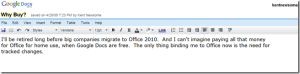
Why? Because here’s a screenshot of what I expect my Office 2010 to look like.

image

I don’t know how hard Google is chasing the corporate market, but if it has serious designs on attracting business users, it simply must implement some sort of tracked changes or version/compare feature.  The absence of that feature is the primary thing keeping me from using Google Docs as my primary word processor at home, but it is an indispensable thing for business users.

Here are a few other tweaks that would make Google Docs more attractive to me.

There should be a way to synch your iPhone calendar and contacts with the corresponding Google app without affecting- or even touching- your Exchange synchs.  I tried to synch my phone and the Google apps and ended up with multiple instances of the same contacts and events, which was a pain to sort out.  In sum, it was an unmitigated disaster.  I’m not going to risk jacking up my much more important Exchange synchs, and no big company is going to make it easy to do three-way synchs, for security/paranoia reasons.  But it would be cool to have my iPhone synch separately with Exchange and the Google apps.  It would even be acceptable to have contacts and calendar entries pushed out to the Google apps, without the ability to move data the other direction.  But all of this needs to happen without doing anything unpleasant to the Exchange synchs.

Gmail needs to finally figure out a way to suppress the “on behalf of” business when your email is read in Outlook.  I’d be happy to use the Gmail interface, but I want to use my existing email account.  I’m not willing to trust Google as the sole archive of my old emails, but MailStore Home looks like an acceptable way to archive email locally.

It would also be great if Gmail allowed folders for us dinosaurs who are more comfortable with folders than tags.  I think this is a design limitation, as opposed to a philosophical position on Google’s part, but I have no basis for that other than intuition.

Gmail should add an option to have spam deleted immediately, without ever being seen, and to have your trash folder emptied more frequently.  I’d have it emptied every day.  The best thing about Gmail is the spam filter.  I want to supercharge it and let it make all spam invisible to me all the time.  I’ve never noticed a legitimate email in my spam folder, but I don’t care if there is.  If someone wants to contact me badly enough, they’ll write again.

I also need the ability to customize the links at the top of the Google apps page.

image

I’m not going to use Picasa for my photos, no matter what.  I want to replace that link with a link to Flickr or Photobucket.  I also want a link to iGoogle up there, as well as links to my internet starting page and my Content Master page.  In sum, I need more flexibility to customize the page layout and content.

Finally, Google needs to take a page from Lost and pledge not to give up on Google Docs like it did on Google Notebook and various other apps.  It’s difficult to migrate to a watering hole that could dry up at any time.

I’m close to going all Google Docs all the time, but I need a little more incentive.

FacebookGoogle+StumbleUponFriendFeedDeliciousInstapaperRead It LaterShare
Comments { 0 }

Time Tunnel: Microsoft Bob

I’m not sure how, but I came across this video tour of the famously unpopular Microsoft Bob.

Technorati Tags:

FacebookGoogle+StumbleUponFriendFeedDeliciousInstapaperRead It LaterShare
Comments { 2 }

Annoying Windows Vista Problem Solved

Ever since I installed Vista on KN-1, my home built computer, I have had one extremely annoying problem.  After my computer runs for a while, the toolbar gets all out of whack.  Like this:

mess 2

The buttons get all jumbled up and stop responding.  It is very, very annoying.

The only solution I could come up with was to reboot, which was very disruptive to whatever task I was working on.  The problem was even more irritating because when this happens, the restart button stops responding, and I have to do the control-alt-delete thing just to restart.  This mess has been a major drain on my efficiency and I had even begun to consider trashing my computer and starting over- in a desperate attempt to solve this problem.

Weekends in the Houston language translates to “rains all day.”  So I decided to use my forced indoor time today to see if I could find a solution to this problem.  Of course, I started with the answer machine- Google.  After running down a few wrong trails, I came across this inviting Microsoft Knowledge Base page.  I first tried the work around:

1. Press CTRL+ALT+DEL.
2. Click Task Manager.
3. Click the Processes tab.
4. Click the explorer.exe process.
5. Click End Process, and then click End process.
6. Click the Applications tab.
7. Click New Task.
8. Type explorer in the Open box, and then click OK.

Lo and behold, that fixed the problem.  At least now I wouldn’t have to control-alt-delete and restart every hour or so.

Next I installed the hotfix from that page.  It installed.  I was hopeful.  I rebooted, even though I wasn’t prompted to.

Four hours later, I am still working and my toolbar looks normal.  And the buttons work.

I can’t adequately explain how happy I am to (cross my fingers) have this problem solved.

If this post can help one other person solve this problem, it will be worth it.

FacebookGoogle+StumbleUponFriendFeedDeliciousInstapaperRead It LaterShare
Comments { 1 }

Not Slow, But Not Revolutionary Either

Ed Bott posts a defense of claims that Vista is slow.  He cites another post by Carl Campos, summarizing his 10 weeks with Vista.  I agree that Carl’s post is a good overview of what’s right and what’s wrong with Vista.

I installed Vista on the day it was released and have been running it on 2 desktops and 2 laptops ever since.  Leaving aside my horrible experience with the 64 bit version, my experience has been mostly positive.  The question is whether it has been positive enough to recommend people upgrade from XP.

Here are my thoughts after a couple of months with Vista.

First, User Account Control is still extremely annoying.  I disabled it on all of my computers.  That helps, but disabling it causes problems to pop up elsewhere from time to time, particularly when you try to delete certain files.  The only fix I have found for that is to re-enable User Account Control temporarily, delete the file and then disable it again.

Since I have a Radeon X800 video card, I had to wait for new drivers before I could run certain programs, such as Second Life (where I still have a ton of visitors and no way to monetize them, sort of like most Web 2.0 applications).  Once the updated drivers were released, I was able to log back into my Second Life account and reset my dance pads, so I could give away more Linden Dollars.  Need some Linden Dollars?  Come see me at Sibine 03 (106,33). 

The biggest annoyance is that when I bring Windows back up after the screensaver has been active for a few hours, my taskbar looks weird and mouse clicks, including the one to Restart, are non-responsive.  I have to Control-Alt-Delete and then Restart from that screen, where the mouse once again works correctly.  I reconfigured my power options so that neither the monitor nor the computer would be shut down or “put to sleep.”  No help.  I hoped the new video card drivers would fix this, but they didn’t.  Ed, any thoughts?

 Vista certainly doesn’t seem any slower than XP.  It may be faster, but if it is, it’s not significant enough that I notice it.  Other than one scary RAID corruption (which may not have been Vista’s fault), Vista has been pretty stable for me- again, other than the annoying mouse/taskbar problem mentioned above.

Like Carl, I’m not crazy about the new Start menu layout.  You can arrange your application the way you want, but it takes some effort.

Search is much better.  Still not as good as X1, but Microsoft is closing the gap.

One of the new features I like the best is the Folder (named after the account- mine is “Kent”) where all of your downloads, documents, contacts, etc. are easily accessible.

Vista is a step forward, for sure.  But unless you are a computer expert or are having problems with XP, I’d probably wait until your next computer to upgrade.

Technorati tags:
FacebookGoogle+StumbleUponFriendFeedDeliciousInstapaperRead It LaterShare
Comments { 1 }

Windows Live + Mobile Technology = More Confusion

Microsoft continues to work hard to become relevant in an online world dominated by Google, Yahoo, YouTube, MySpace and others.  The latest effort involves yet another confusing branding campaign, this time under the Windows Live flag, and a series of confusing application launches.

The latest applications are category based local search, maps and directions and traffic data for mobile devices.

I’m sure some of these applications are great, but most geeks and all non-geeks will never know, because they are released in a confusing, disjointed manner into the already confusing and disjointed mobile technology arena.

Here’s the thing: people want products and applications to be easy to find, easy to understand and easy to use.  Otherwise, they’ll just continue to use 411 and Google Maps- because they are all of those things.  The increase in efficiency realized from having onboard maps and traffic data is not great enough to warrant a ton of effort to find these applications, see of they will work with your cell phone, install them and learn to use them.

That sounds hard.  411 is easy.  Turning on the radio is easy.

Sure, these applications may come pre-installed on 3 or 4 new handheld models- if you happen to have the right network provider and if you happen to be in the market for a new phone at the right time.

The chaos surrounding what mobile phones are available from what network and what applications work with what devices makes for a ball of confusion for anyone other than those of us who use Blackberries.  We know that none of the new applications we read about will work on them.

In sum, it’s a mess.

Microsoft can help by telling us, in plain English, what these applications do, how they are better than what we currently use, where we can get them, and how to use them.  And by creating products that make us more efficient without trying to take over our online lives by pushing us towards other Microsoft products.  And finally and most importantly, by creating products that work with as many of our mobile devices as possible.

What Microsoft cannot do is impose any logic on the mobile technology situation.  Network providers obviously think that they can attract users by having the exclusive rights to some new device for a period of time.  Of course, next week some other provider will have exclusive rights to some even newer device.  It’s a confusing cycle that doesn’t change the fact that mobile phones, like their wired forefathers, are a commodity.  Trying to pretend otherwise just makes it confusing and frustrating for everyone.

Handheld manufacturers propagate this confusing situation, of course, by making a separate device for each network.  There are more Blackberry versions than there are people to carry them.  Until the network providers decide to cowboy up and compete on price, coverage and service like a good commodity- and not on the illusory benefits of a temporary exclusive on new hardware- there will be no end to this cycle of confusion.

So all these new applications might be really useful.

Too bad most of us will never use them.

Tags: ,

FacebookGoogle+StumbleUponFriendFeedDeliciousInstapaperRead It LaterShare
Comments { 3 }

Microsoft’s Vista Killer

Do you hate Vista?  Do the vague transparencies of Aero Glass drive you mad?  Does the flashing irritation of User Account Control give you a migraine?  Do you want to crush Vista the way Mirko “Cro Cop” Filipovic crushes his UFC opponents?

Thanks to an ingenious new product by Microsoft, you can.  That’s right, you can sit back and watch Vista crash like a bad party.  Revel in spontaneous reboots.  Taunt Vista as it gets ripped apart by an unstoppable destructive force.

The code name for Microsoft’s Vista killer is LifeCam VX-6000.  It’s an amazing piece of technology, and it has to be.  Whipping Vista is no easy task.  When the VX-6000 takes its first shot at Vista, it gets rebuffed by a message stating that the software on the CD is not compatible with Vista.  Feeling confident, even cocky, Vista points the way to the newer, Vista compatible software.  But like Cro Cop’s feet, the VX-6000 is just waiting for an opening.  As soon as Vista allows you to install the allegedly updated software, the fight is lost.

Once the VX-6000 is connected to a USB port, Vista realizes it has made a serious tactical error.  Reeling from the blows, Vista first tries to rope-a-dope by freezing up, hoping to fend off the VX-6000′s fury.  It’s only a matter of a few clicks to the head, however, before Vista crashes to the mat in a flurry of spontaneous reboots.

At a recent gathering of Vista haters, some of the attendees did series of skits about their experience trying to install a VX-6000 on a Vista machine.  It won’t be hard to tell who’s playing the VX-6000 and who’s playing the computer.

So if you want to teach Vista a lesson, Microsoft has a cold and unforgiving teacher.  The LifeCam VX-6000- available at military surplus stores everywhere.

Technorati tags: , ,

FacebookGoogle+StumbleUponFriendFeedDeliciousInstapaperRead It LaterShare
Comments { 3 }